Train an Explainable xAAEnet Model
Training pipeline
train_xaaenet always runs the same sequence:
- Adversarial — latent GAN only, with alternating generator / discriminator updates.
- Autoencoder — denoising reconstruction on corrupted inputs (Gaussian noise + random patch masking).
- Classifier — weighted sum of reconstruction, adversarial, and cross-entropy terms.
Each phase saves a checkpoint under models_dir, reloads the best weights then continues to the next phase.
After each phase, when visualization is enabled, train_xaaenet follows the same order:
- Extract validation latent vectors
zfrom the trained model. - Display the figure inline in the notebook (when running under IPython).
- Save a PNG under
models_dir.
- After adversarial and autoencoder: t-SNE (
save_tsne=True). - After classifier (default curriculum): supervised PLS biplot (
save_pls=True). Callable after any phase via_pls_validation_latent_after_phase.
Quick start
Build your model and fastai DataLoaders (ImageBlock, CategoryBlock), then call:
from tell_me_why.training import train_xaaenet

learn = train_xaaenet(
    model,
    dls,
    ae_recons_weight=0.4,
    ae_adv_weight=0.6,
    classif_recons_weight=0.599,
    classif_class_weight=0.001,
    classif_adv_weight=0.4,
)
Input images should be at least about 160×160 pixels (MS-SSIM in the reconstruction loss).
train_xaaenet
| Argument | Role |
|---|---|
epochs_adv, epochs_ae, epochs_classif |
Epoch count per phase |
ae_recons_weight, ae_adv_weight |
Loss weights during autoencoder training |
classif_recons_weight, classif_class_weight, classif_adv_weight |
Loss weights during classifier training |
adv_low_threshold, adv_high_threshold |
Valid-loss band for alternating GAN training |
mask_ratio, patch_size, noise_std |
Corruption strength for denoising AE training |
models_dir, *_fname |
Checkpoint directory and file names |
save_tsne |
After adversarial / autoencoder: extract validation z, show t-SNE, save PNG |
tsne_max_points, tsne_perplexity |
Subsample size and t-SNE perplexity for those figures |
save_pls |
After classifier phase (default): extract validation z, show PLS biplot, save PNG |
show_latent_figures |
Inline notebook display before PNG save (None = auto in IPython) |
pls_target_class |
Binary target level in dls.vocab for the PLS axis (default: second class) |
pls_max_points |
Max validation points for the PLS figure (default: 10 000) |
extract_latent |
Save train+valid latent vectors z after the full run |
Corruption transforms (autoencoder phase)
During phase 2, inputs are corrupted before the forward pass; reconstruction is computed against the clean batch stored by CorruptionCallback.
CorruptionCallback
def CorruptionCallback(
    corruption_tfms:list
):
Apply corruption transforms on xb while keeping a clean copy for the loss.
RandomMasking
def RandomMasking(
    mask_ratio:float=0.3, patch_size:int=16
):
Zero out random square patches independently per image.
AddGaussianNoise
def AddGaussianNoise(
    mean:float=0.0, std:float=0.05
):
Add Gaussian noise to a batch of images (values stay in [0, 1]).
Adversarial callback
UnfreezeFcCritAdaptative toggles model.gen_train and freezes either the discriminator (fc_crit*) or the rest of the network, based on validation loss and epoch schedule.
UnfreezeFcCritAdaptative
def UnfreezeFcCritAdaptative(
    switch_every:int=3, low_threshold:float=0.15, high_threshold:float=0.6, window_size:int=3
):
Alternate generator / discriminator training during the adversarial phase.
Metrics, latent extraction, and t-SNE figures
LossAttrMetric logs scalar attributes set on the model during the forward pass (adv_loss, recons_loss, …). Latent extraction for figures and extract_latent=True runs a validation pass and stacks model.z — you do not need to call a separate callback yourself.
At the end of each training phase, train_xaaenet extracts validation z, then calls:
save_latent_tsne_figure— t-SNE (default: up to 5000 points, perplexity 30), display inline, then PNG.save_latent_pls_figure— supervised PLS (2 components) onzand binary targets, display inline, then PNG (one arrow for the target direction).
Example output figures
With default options, figures appear in the notebook then are written as PNG under models_dir. Below are representative examples (validation set, binary classification).
t-SNE (save_tsne=True)
Saved after the adversarial and autoencoder phases as tsne_<checkpoint_name>.png:
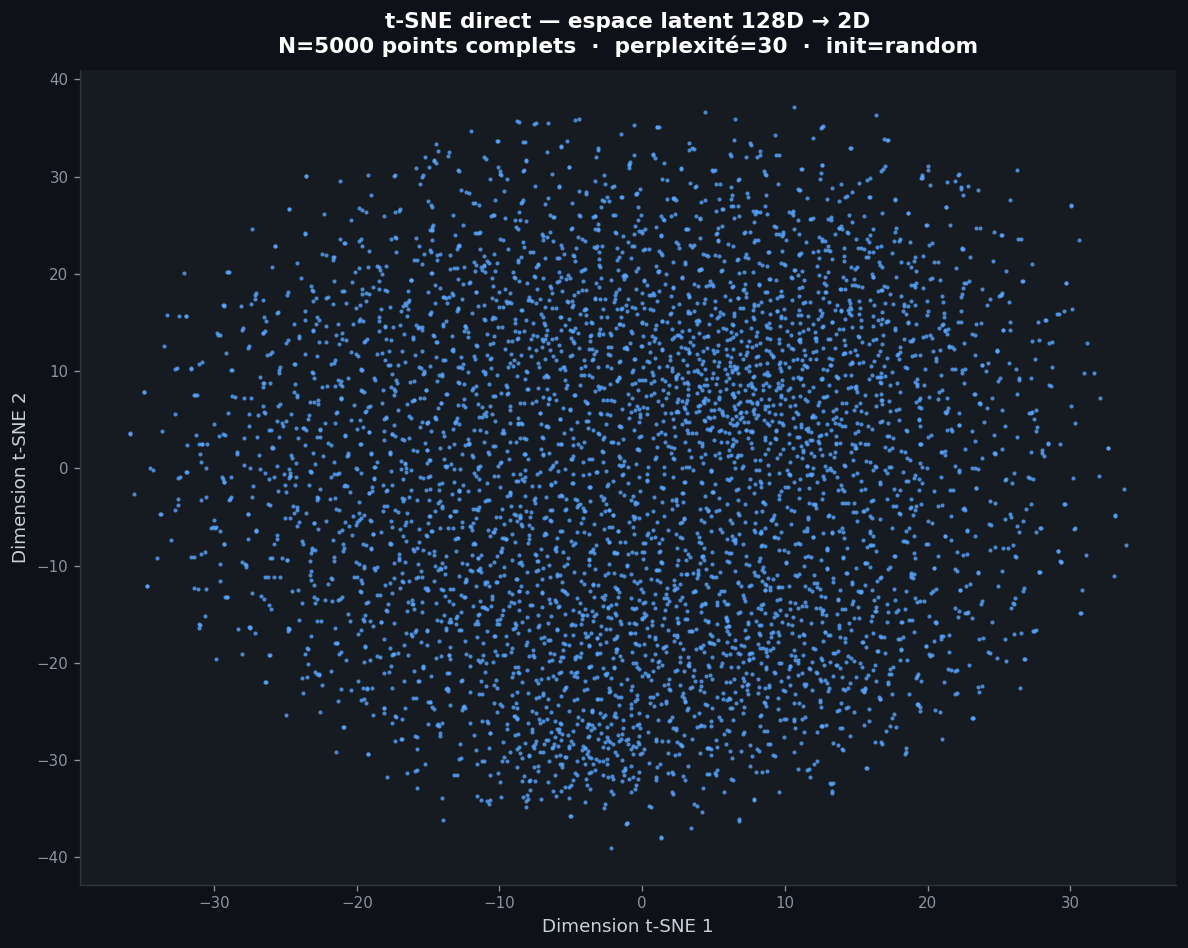
Direct projection of z (e.g. 128D → 2D). Points are not colored by class; the plot monitors how the latent cloud evolves between phases.
PLS (save_pls=True)
Saved once after the classifier phase as pls_<classif_fname>.png:
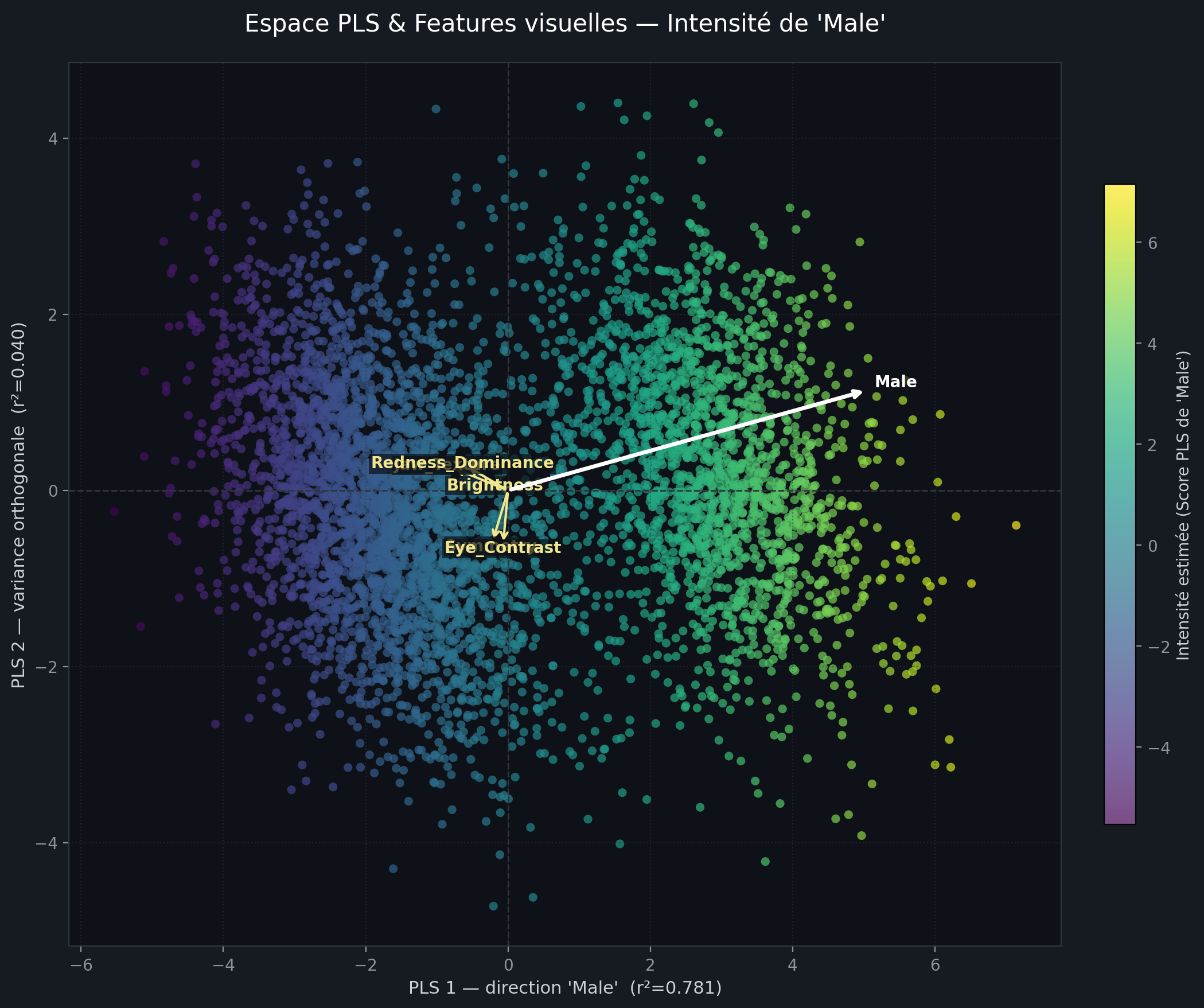
Supervised PLS on z: color = score on PLS component 1, one white arrow = direction of the binary target in latent space.
The figure above illustrates the overall PLS style (axes, colorbar, latent cloud).
save_latent_pls_figure
def save_latent_pls_figure(
    z:torch.Tensor, targets:torch.Tensor, save_path:str | Path, class_names:Sequence[str] | None=None,
    target_class:str | None=None, phase:str='', encoding_dims:int | None=None, max_points:int=10000,
    random_state:int=42, show:bool | None=None
)->Path:
Supervised PLS biplot of z vs binary targets: display inline in a notebook, then save a PNG.
save_latent_tsne_figure
def save_latent_tsne_figure(
    z:torch.Tensor, save_path:str | Path, phase:str, encoding_dims:int | None=None, max_points:int=5000,
    perplexity:float=30, random_state:int=42, show:bool | None=None
)->Path:
Project z with t-SNE, display inline in a notebook, then save a PNG.
LossAttrMetric
def LossAttrMetric(
    attr:str
):
Average a float attribute stored on the model (e.g. model.adv_loss).
GetLatentSpace
def GetLatentSpace(
    after_create:NoneType=None, before_fit:NoneType=None, before_epoch:NoneType=None, before_train:NoneType=None,
    before_batch:NoneType=None, after_pred:NoneType=None, after_loss:NoneType=None, before_backward:NoneType=None,
    after_cancel_backward:NoneType=None, after_backward:NoneType=None, before_step:NoneType=None,
    after_cancel_step:NoneType=None, after_step:NoneType=None, after_cancel_batch:NoneType=None,
    after_batch:NoneType=None, after_cancel_train:NoneType=None, after_train:NoneType=None,
    before_validate:NoneType=None, after_cancel_validate:NoneType=None, after_validate:NoneType=None,
    after_cancel_epoch:NoneType=None, after_epoch:NoneType=None, after_cancel_fit:NoneType=None,
    after_fit:NoneType=None
):
Collect latent vectors z during validation into learn.z_valid.
train_xaaenet
def train_xaaenet(
    model:ExplainableModel, # `AAE` or `EncoderWithAAEBlocks`.
    dls:DataLoaders, # fastai `DataLoaders` with `(ImageBlock, CategoryBlock)`.
    epochs_adv:int=35, epochs_ae:int=50, epochs_classif:int=30, ae_recons_weight:float=0.4, ae_adv_weight:float=0.6,
    classif_recons_weight:float=0.599, classif_class_weight:float=0.001, classif_adv_weight:float=0.4,
    lr_max:float=0.0001, lr_max_factor:float=3.0, mask_ratio:float=0.2, patch_size:int=16, noise_std:float=0.05,
    adv_low_threshold:float=0.65, adv_high_threshold:float=0.8, grad_accum:int=4, patience:int=10,
    models_dir:str | Path='models', adv_fname:str='xaaenet_adv', ae_fname:str='xaaenet_ae',
    classif_fname:str='xaaenet_classif',
    save_tsne:bool=True, # If True, save t-SNE figures after the adversarial and autoencoder phases.
    tsne_max_points:int=5000, tsne_perplexity:float=30,
    save_pls:bool=True, # If True, after the classifier phase extract validation ``z``, show a supervised PLS biplot, save PNG.
    pls_target_class:str | None=None, # Name of the binary target level in `dls.vocab` for the PLS axis (default: second class).
    pls_max_points:int=10000, # Cap on validation points for the PLS figure (default: 10_000).
    extract_latent:bool=True, # If True, save stacked train+valid latent vectors to `latent_path` (or a default under `models_dir`).
    latent_path:str | Path | None=None,
    show_latent_figures:bool | None=None, # If not False, display t-SNE / PLS figures inline when running inside a notebook (before saving PNG).
)->Learner:
Train an explainable xAAEnet model: adversarial, then autoencoder, then classifier.